
Divine
Verse Communication PBCSocial
3.568.00 Reviews
- Version
- 1.0.20
- Installs
- 10.00K
- Age Rating
- Mature 17+
Screenshots
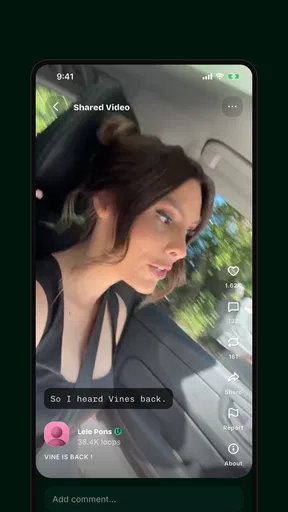
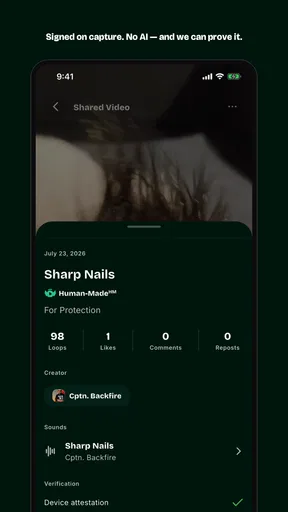
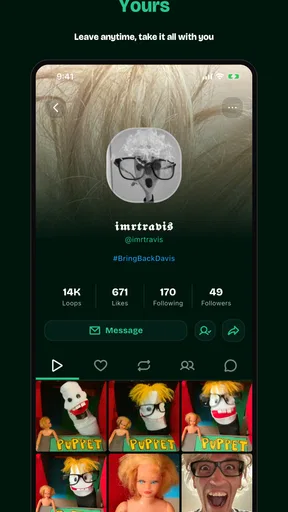
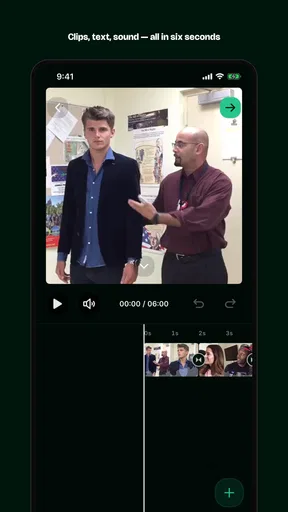
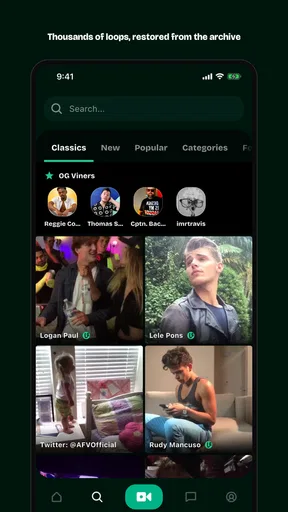
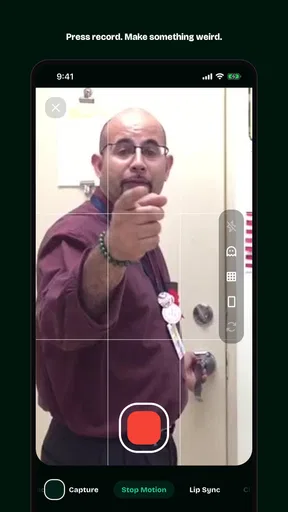
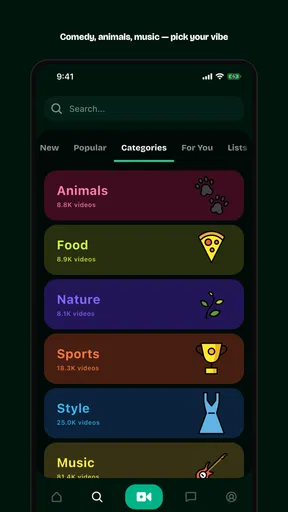
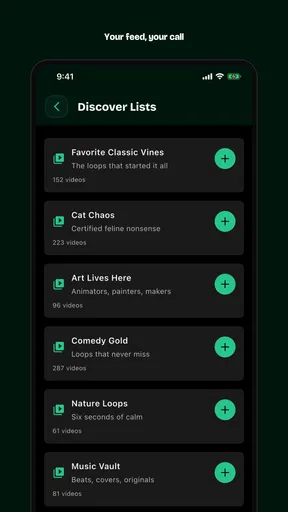
Our Review of Divine
 Analysis by Appyee
Divine is a social app built around very short videos, and its central idea is easy to understand: people share moments that last only a few seconds rather than producing polished, heavily edited posts. I found that focus refreshing because it changes what I expect from the feed. I am not opening it for long tutorials, carefully staged photo dumps, or extended conversations. I am looking for a quick glimpse of someone’s mood, surroundings, humor, or everyday life.
The app is published by Verse Communication PBC and is free to use. It is listed for mature audiences aged seventeen and over, so I would not treat it as a general family social network. Divine is currently on version 1.0.20 and requires at least Android 9 or a newer operating system. Its store presence is still relatively small, with over ten thousand installs, an average of 3.5 from around two hundred ratings, and several dozen written reviews. Those figures suggest an early-stage community rather than a crowded, fully established platform.
The most important thing to understand before installing Divine is that its value depends on the people you find there. A short-video idea can feel lively when the feed contains genuine, varied posts. It can feel thin when there are not enough creators or when the content does not match your interests. I would therefore approach it as a focused social experiment, not as a guaranteed replacement for every platform already on your phone.
What Divine feels like when you first open it
The six-second limit gives Divine a different rhythm from the usual short-video services. On larger platforms, even a short clip often includes several cuts, captions, effects, music, and a clear attempt to hold attention. Here, the format encourages a single thought or instant. That can make a post feel more immediate, but it also means the creator has very little room to explain context.
For a first-time user, this is useful to keep in mind: the app is not asking you to make a miniature film. It is better suited to one visible action, one expression, one surprising detail, or one small observation. A friend showing the rain on a window, a quick reaction to an unexpected meal, or a passing view from a walk can fit the format more naturally than a complicated story.
I also noticed the trade-off behind the emphasis on human-made moments. A less polished clip may feel more personal than a highly produced post, but “authentic” does not automatically mean interesting. Some videos will land because the timing is perfect; others may seem too slight to justify a pause. That unevenness is normal for a community-driven feed, and it is one reason to judge Divine after exploring it rather than after watching only a handful of posts.
The mature age label matters in practical terms. I would be careful about handing the phone to a younger child simply because the videos are short. I would also avoid assuming that a social feed focused on everyday moments is automatically suitable for every household. If you are choosing the app for a teenager, discuss how they want to use it and what kind of public sharing feels comfortable before they begin posting.
Setting up without overthinking the profile
My advice for the first session is to keep your initial profile simple. You do not need to invent a polished identity before discovering whether the feed suits you. Choose a recognizable name or image if you want friends to find you, but avoid sharing personal details that are not necessary for the experience. A short-video network works better when your profile feels approachable, yet there is no benefit in exposing more of your private life than you intend to.
After installation, take a few minutes to look around before recording anything. Learn where the viewing feed, creation controls, and profile area are located. This small pause prevents a common beginner mistake: filming immediately, then discovering that the result does not express what you meant. With clips this brief, planning the first second is more useful than trying to repair the video afterward.
Because Divine is a social app rather than a private notebook, I would decide on a personal boundary before posting. Ask yourself whether the clip shows your location, other people, a workplace, a school, or something that could be misunderstood without context. Six seconds can be enough to reveal more than expected. A quick pan across a room, for example, may include names, documents, or faces in the background even when those details were not the subject.
There is also a practical reason to begin with low-pressure material. Your first post is partly a test of the community. You are learning how the format feels, how people respond, and whether you enjoy creating for this particular audience. A harmless observation from your day is a better starting point than a personal announcement you may later wish you had kept elsewhere.
How to reach a first meaningful success
The easiest way to get a satisfying first result is to choose one moment that already has movement. Do not try to compress an entire activity into the clip. Instead, wait for the small payoff: the instant a coffee pour changes color, a dog notices a sound, a friend makes a familiar gesture, or a street scene briefly becomes unusual. The action should be understandable even when the viewer sees it only once.
Before recording, frame the subject and decide where the clip should end. This is a surprisingly important habit. A six-second post can feel complete when the final image provides a clear finish, but it can feel accidental when the camera keeps moving after the interesting part is over. I would record with the phone steady, keep the subject close enough to read, and avoid adding several ideas just because there is still a little time available.
One useful workflow is to make the first attempt privately in your mind before opening the camera: identify the beginning, the change, and the ending. For example, begin with an empty plate, capture the moment a dish arrives, and finish on the reaction. That structure gives the viewer a reason to watch without requiring narration or elaborate editing. It is a more reliable approach than hoping a random recording will become compelling.
Another good first use is sharing a small daily check-in with people who already understand your context. A six-second clip of a familiar route, a new hobby, or a tiny weekend discovery can work well among friends because they supply the missing background. With strangers, the same clip may need a clearer visual idea. This is where Divine differs from a private messaging app: the public audience may not know why a moment matters to you.
I would not measure success only by reactions. A meaningful first session could simply be finding a creator whose style makes you want to return, posting something that feels honest without oversharing, or discovering that the short format helps you notice details you would normally ignore. Those are better signs of fit than chasing immediate attention.
Where new users may become confused
The biggest possible confusion is the relationship between brevity and substance. A short clip is not automatically easy to make. In fact, the limited duration puts pressure on composition, timing, and clarity. If your first recordings feel incomplete, that does not necessarily mean you are using the app incorrectly. It may mean the subject needs a simpler setup or a stronger visual ending.
It is also easy to expect Divine to behave like a larger video network. If you arrive expecting an enormous catalog, sophisticated discovery tools, or a feed perfectly tuned to your tastes from the first swipe, the early experience may feel modest. The install base is still over ten thousand, which places the app in a different stage from the biggest social-video services. A smaller community can feel more personal, but it can also mean fewer posts that match your interests at a given moment.
The 3.5 average rating from around two hundred ratings reflects a mixed reception rather than universal enthusiasm. I would read that as a reason to keep expectations measured. The concept is distinctive, but execution depends on the health of the feed, the quality of the available posts, and how comfortable you are with a less established network. If you want a mature platform with a deep archive and a predictable stream of specialized creators, a mainstream alternative may serve you better.
Another point worth clarifying is that authenticity and privacy are not opposites. A genuine moment does not have to expose your home, your face, or your friends. You can record a close-up of a craft, a changing sky, a meal you prepared, or a sound-producing object without turning your private life into content. This approach is especially useful for first-time users who like the idea of sharing but are not ready for personal visibility.
Some people may also wonder whether six seconds is enough for conversation. In my view, Divine is better at starting a reaction than replacing a full discussion. A clip can prompt a comment or give friends something to respond to, but nuanced explanations belong in a more suitable messaging or community app. Use Divine for the spark, then move the deeper exchange elsewhere when the subject needs detail.
Practical ways to make the feed more useful
When a social feed is still growing, the quality of your experience depends partly on how deliberately you browse. I would give promising creators more than one chance before deciding whether they are worth following. A single post may be experimental or simply miss its timing. Looking for recurring interests is more effective than judging the whole community from one clip.
I would also treat the feed as a place to collect visual prompts, not only entertainment. The strict length can train you to notice concise moments: a change in light, a brief gesture, a satisfying mechanical action, or a contrast that appears for an instant. If you create regularly, keep a mental list of these moments rather than waiting for a large event. Divine’s format rewards observation more than spectacle.
A particularly useful trade-off is choosing between planned and spontaneous posts. Planned clips are easier to understand because you can control the framing and ending. Spontaneous clips may feel more alive, but they are more likely to be shaky, poorly lit, or unclear. I would use planned recordings when introducing yourself or sharing something instructional, and spontaneous ones when the unexpected moment is itself the point.
For friends, the app can work as a lightweight visual diary. Instead of writing a long update, you might share one small scene from a walk or a quick glimpse of a project. For creators, it can be a constraint exercise: communicate a recognizable idea without relying on a long introduction. For casual viewers, it offers a faster way to sample ordinary moments than opening a platform built around extended videos.
However, I would skip Divine if your main goal is long-form learning, professional promotion, private group coordination, or detailed storytelling. A video editor, messaging service, or established creator platform will be more appropriate in those cases. Divine’s strength is narrow by design, and respecting that narrowness makes the experience easier to judge fairly.
Choosing the right next step
After the first session, I would not immediately follow everyone or upload a large batch of clips. Spend a little time identifying what you actually want from the app. If you enjoy discovering small human moments, follow selectively and return when you have a real observation to share. If the feed feels repetitive or too quiet, give it a short trial period rather than forcing it into your daily routine.
Creators should experiment with recurring themes instead of trying to imitate polished short-video stars. A consistent subject—small cooking details, neighborhood changes, quick reactions, or simple visual puzzles—can make a six-second post easier to recognize. The constraint becomes an advantage when viewers know what kind of moment they may find from you.
Viewers should remember that a small community can change quickly as more people join. The current version, 1.0.20, represents an early point in the app’s development, so I would expect the experience to be shaped by how actively its users post and interact. That does not guarantee a particular direction, but it does make participation more meaningful: an early user is not only consuming the feed but helping establish its tone.
My final recommendation is cautious but positive. Divine is worth trying if you like social apps that favor quick, human-scale observations over elaborate production. I appreciate the discipline of the six-second format, and I can see it working well for friends, curious viewers, and creators who enjoy making a clear point with very little material. The free price makes experimentation easy, but the mature rating and developing community deserve attention.
For me, Divine works best as a small window into other people’s moments, not as a complete substitute for every social platform. Start with one simple clip, protect your privacy, and judge the app by whether it gives you a reason to notice, share, or return. If you want a huge, highly refined video ecosystem, choose a larger alternative. If you want a more focused place where a brief authentic moment can stand on its own, Divine has a clear identity and is worth exploring.
Verdict
Strengths of Divine
- Simple interface makes daily spiritual content easy to access.
- Offers convenient inspiration for prayer, reflection, or quiet moments.
- Lightweight design should work well on many Android and iOS devices.
- Useful for users seeking faith-based content in a single app.
- Can encourage a consistent personal routine through regular use.
Limitations of Divine
- Content may feel limited for users seeking broader religious perspectives.
- Some features or resources may require an internet connection.
- Personalization options may not be extensive enough for every user.
- The app’s appeal depends heavily on individual faith and preferences.
- Notifications could become distracting if enabled too frequently.
Similar Picks in This Category
View All
Meta Platforms, Inc.4.6

Instagram4.0

Likee-Live, Chat & Party Games
Likeme Pte. Ltd.4.4

Facebook Lite
Meta Platforms, Inc.4.5

TikTok - Videos, Shop & LIVE
TikTok Pte. Ltd.4.0

Moj: Free Short Drama & Reels
ShareChat4.1
Frequently Asked Questions
What is Divine, and what can I use it for?
Divine is an app designed to provide users with a spiritual and reflective experience through personalized content, guidance, and daily inspiration. Depending on the features available in your version, it may help you explore readings, messages, insights, or personal questions in an easy-to-use mobile interface. It is best approached as an entertainment and self-reflection tool rather than a replacement for professional advice.
Is Divine free to download and use?
Divine can generally be downloaded at no initial cost, but some features or content may require in-app purchases or a subscription. Before confirming any payment, check the pricing details, trial conditions, renewal terms, and cancellation options shown in the app store or inside the application. Availability of free features may also vary depending on your device, location, and the version installed.
Does Divine require an internet connection?
Most of Divine’s interactive features are likely to require an active internet connection, particularly when the app loads personalized content, updates its database, synchronizes an account, or processes requests online. Some previously viewed information may remain available temporarily without connectivity, but offline access should not be assumed. For the smoothest experience, use a stable Wi-Fi or mobile data connection.
Is Divine suitable for making important personal decisions?
Divine may be enjoyable for reflection, entertainment, and exploring personal feelings, but its results should not be treated as factual predictions or professional recommendations. Avoid relying on the app for medical, legal, financial, relationship, or other high-impact decisions. Use the content as a prompt for thought, and consult a qualified professional or trusted person whenever a serious situation requires dependable guidance.
What privacy information should I consider before using Divine?
Before using Divine, review its privacy policy and the permissions requested during installation. If the app asks for personal details, questions, account information, or access to device features, make sure you understand why that data is collected and how long it may be retained. Avoid entering highly sensitive information unless it is clearly necessary, and check account deletion and subscription-management options.
